Experience Flight Without Leaving the Ground
Not sure where to start?
Most home cockpits get built in the same order, and getting that order right saves money.
Control input
A yoke for airliners and general aviation, a joystick or HOTAS for fighters and helicopters. This is the decision that shapes how everything feels, so buy for what you actually fly.
Rudder pedals
Twisting a stick for yaw works right up until your first crosswind landing. Pedals bring toe brakes too, which is how you steer on the ground and stop where you meant to.
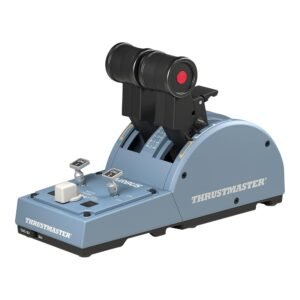
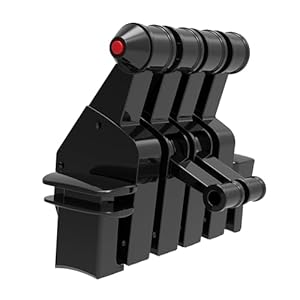
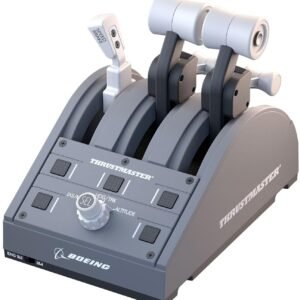
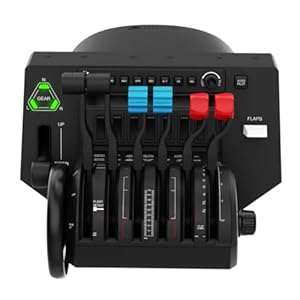
Throttle quadrant
Fly anything with two engines and independent levers change it from a toy into something you manage. The upgrade most simmers wish they'd made sooner.
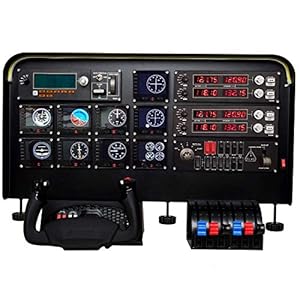
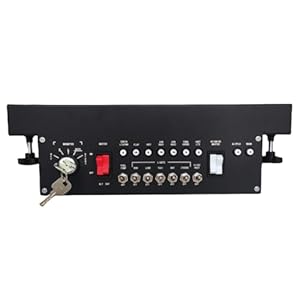
Panels and instruments
Every switch you make physical is a menu you never open mid-flight again. Start general, then go aircraft-specific once you know what you fly.
Common questions
The things people ask before buying their first piece of flight sim hardware.
Should I buy a yoke or a joystick?
It depends entirely on what you fly. A yoke matches the control column in airliners and most general aviation aircraft, and the longer travel gives you finer pitch control on approach. A joystick or HOTAS setup suits fighters and helicopters, where you fly one-handed and manage throttle with the other.
If you fly both, buy for whichever you fly most. Adding the other type later is far easier than living with the wrong first choice.
Do I really need rudder pedals?
Not to get started. Most sticks have a twist axis that handles yaw well enough for straight-and-level flying.
You will want them the first time you attempt a crosswind landing, fly a twin with an engine out, or try a helicopter. Those all need your yaw input separate from your roll input, and a twist grip couples them together. Pedals usually bring toe brakes too, which is how you steer a taildragger on the ground.

Will this hardware work with Microsoft Flight Simulator and X-Plane?
Yes. Nearly everything here is standard USB and works with MSFS, X-Plane, Prepar3D and DCS. Most of it is recognised automatically, and anything that isn't can be mapped manually in the sim's controls menu.
The exception is console-specific gear. If a product says Xbox or PlayStation, check it also lists PC before buying.
How much should I expect to spend?
A usable setup starts around the price of a decent joystick. From there, a yoke, pedals and a throttle quadrant each add meaningfully to both cost and realism.
The honest advice is to buy one good piece at a time rather than a cheap set all at once. A well-made yoke you keep for years costs less over time than two budget ones you replace.
Will a yoke or throttle clamp to my desk?
Usually, but measure first. Most clamps are designed for a desk top of roughly 25 to 55mm. Thick tops, rounded front edges, drawer rails and cable trays all cause problems.
If your desk won't take a clamp, a dedicated mount or a folding cockpit frame solves it and puts the controls where your hands naturally sit.
Do I need a powerful PC?
The hardware on this site barely touches your PC. It's the simulator itself that's demanding, particularly Microsoft Flight Simulator with its streamed scenery.
Check the system requirements on the sim you plan to run rather than worrying about the controls. A yoke works the same on a modest machine as on a high-end one.
DO YOU WANT TO BUY THE BEST PRODUCTS?
Check out the latest offers
Easyget 2 Pack Desk Mounts for Flight Sim Joystick Compatible With Thrustmaster Hotas Warthog, Thrustmaster MFD Cougar Pack, Winwing Orion 1/2 Joystick & Throttle Hotas Systems – UPGRADED VERSION
SYDYSOSO Flight Simulator Controls Panel – CS 737X MCP, Full Scale Replica of Boeing 737 Mode Control Panel, Real Aircraft Operation, Plug and Play, USB, Compatible With PC (CS 737NG MCP)
Thrustmaster T 16000M SPACE SIM DUO STICK (Compatible with PC)
PC Joystick, USB Gaming Flight Simulator Game Controller with Vibration Function and Throttle Control, PXN 2113 Wired Gamepad Flight Sim Stick for Windows PC/Computer
Meza Flight Simulator Cockpit, Wheel Stand Pro Flight Simulator Cockpit Kit, Pre-Cut Mounting Set
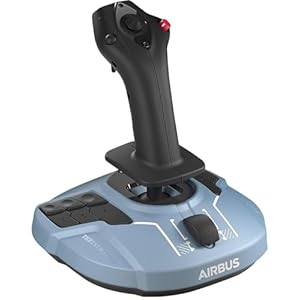
Thrustmaster TCA Sidestick Airbus Edition (Compatible with PC)
Thrustmaster T.Flight U.S. Air Force Edition DTS (Compatible with PS5, PS4, Xbox Series X/S, One, PC)
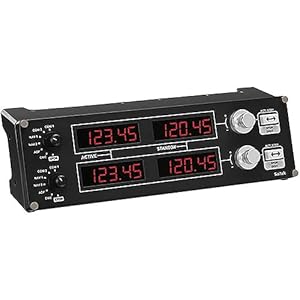
Logitech G USB G Pro Flight Radio Panel
WELLMETE Desk Mount for Flight Sim Joystick-Compatible with Logitech G Extreme 3D PRO Joystick for Windows, Adjustable Enduring Steel Mount Holder for Hotas Flight Joystick Mount(NO Joystick)
2 Set The Desk Mount for The Flight Sim Game Joystick, Throttle and Hotas Systems Compatible with Logitech X56, X52, Thrustmaster T-Flight Hotas,Thrustmaster T.16000M, Thrustmaster TCA,Wining orion 2
EG STARTS Games Joystick/Hotas Chair Mount Compatible for Thrustmaster A10C Hotas Warthog T.16000M FCS & TCA Officer Pack Airbus & VKB Gunfighter MK & Logitech X56 X52 Flight Simulation Controller
Saitek PRO Flight Throttle Quadrant (Renewed)
EG STARTS Flight Sim Chair Mounts Center Joystick Chair Mount T-Flight Hotas 4 & Warthog Flight Stick & T16000M FCS & TCA Sidestick Airbus Edition & VKB Gunfighter pro MK 3 Stick
Thrustmaster Viper Panel: Backlit Control Panel, For Use with Viper TQS or Standalone, 43 Metal Action Buttons, Jettison, Trim, Landing Gear, Licensed by the U.S. Air Force (Compatible with PC)